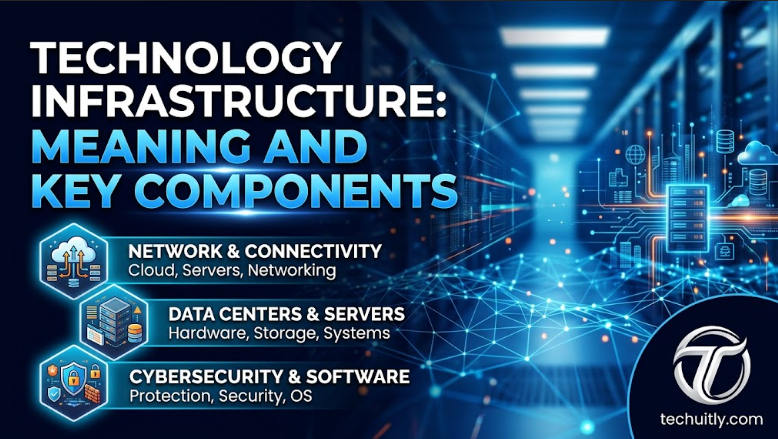
Most digital services depend on a technical foundation that users rarely see. An online payment, customer portal, video meeting, inventory update, or employee login may look simple on screen, but several systems have to work together to make it happen. Technology infrastructure provides that foundation by connecting computing resources, applications, networks, storage, and security systems. For businesses, infrastructure isn’t simply an IT department concern. It affects how quickly employees can work, how reliably customers can access services, and how safely information is handled. Understanding its main parts helps organizations make better decisions about technology without getting lost in technical terminology.
What Is Technology Infrastructure?
Technology infrastructure is the collection of systems and resources that support an organization’s digital operations. It includes physical equipment such as computers and servers as well as software, networks, storage platforms, cloud resources, and security controls. Together, these technologies create the environment in which websites, business applications, communication tools, and databases can operate. Think of it as the technical foundation beneath everyday digital activity. Employees may interact with an application without knowing where its data is stored or which server processes their requests. Good infrastructure keeps those underlying processes dependable without requiring users to think about them.
Key Components of Technology Infrastructure
A functioning technology environment depends on several connected components rather than one system. Each has a different job, but weaknesses in one area can affect everything built around it. Understanding these basic parts makes infrastructure planning much easier.
Hardware and Computing Systems
Hardware provides the physical computing power required to process information. It can include servers, desktop computers, laptops, storage devices, routers, switches, and equipment housed inside data centers. Even cloud services ultimately depend on physical machines operating somewhere. Businesses don’t necessarily need to own all of this equipment. Some maintain servers inside their offices or private facilities, while others rent computing capacity from external providers. The best arrangement depends on workload, budget, control requirements, and available technical staff.
Software and Operating Systems
Software turns computing resources into systems people can actually use. Operating systems manage hardware, while business applications handle activities such as accounting, communication, customer management, inventory, and document sharing. Other software works quietly in the background to monitor performance or manage technical resources. Keeping this software current is part of infrastructure management. Unsupported applications can create compatibility and security problems, while unnecessary software increases complexity. A simpler, properly maintained environment is often easier to manage than one filled with overlapping tools.
Network Infrastructure
Networks allow devices and systems to communicate. Internet connections, routers, switches, wireless access points, firewalls, and related services move information between employees, servers, applications, and customers. Network quality can directly affect the speed and availability of digital services. The challenge becomes greater when employees work from different locations. A business may need to connect office systems, remote workers, cloud applications, and mobile devices without creating unnecessary security risks. Network planning therefore involves both connectivity and controlled access.
Data Storage and Management
Every organization creates information that needs somewhere to live. Customer records, financial documents, product information, images, emails, and application data can be stored locally, in dedicated storage systems, or through cloud services. Storage decisions should consider accessibility as well as available capacity. Backups are equally important. A company needs to know what information must be protected, how frequently copies should be created, and how quickly important data could be restored after a failure. Simply having large amounts of storage doesn’t provide a complete data protection strategy.
Cloud Infrastructure
Cloud infrastructure gives organizations access to computing resources without requiring them to maintain every physical system themselves. Servers, storage, databases, and applications can be accessed through internet-based services and adjusted as business requirements change. This can be particularly useful for organizations with fluctuating demand. Cloud services don’t remove infrastructure management entirely. Businesses still need to control user access, understand costs, configure services correctly, and protect information. Moving a poorly managed system to the cloud doesn’t automatically make it efficient or secure.
Cybersecurity Infrastructure
Security needs to be built into the technology environment rather than added only after problems appear. Firewalls, authentication systems, access controls, encryption, endpoint protection, backups, and monitoring tools can all contribute to protecting digital resources. Their effectiveness depends on how well they work together. People are part of the security equation as well. Employees need appropriate access rather than unrestricted permissions, and old accounts should be removed when they’re no longer required. Regular updates and clear security procedures can prevent relatively small weaknesses from becoming serious problems.
How Technology Infrastructure Works
Technology infrastructure works by allowing different technical components to exchange information and perform specific tasks. Suppose a customer places an order through an online store. The website receives the request, a server processes it, a database retrieves the necessary information, and network connections carry data between the different services involved. Several actions may happen within seconds. Payment processing, inventory updates, customer authentication, confirmation emails, and order records can all depend on separate systems. The customer sees one transaction, while the infrastructure coordinates the activity underneath it.
Traditional vs Cloud Technology Infrastructure
Traditional infrastructure generally places computing equipment within facilities controlled by the organization. Businesses purchase hardware, install software, manage maintenance, and decide when equipment needs to be replaced. This approach can provide greater direct control but requires money, technical expertise, and ongoing maintenance. Cloud infrastructure changes the ownership model. Instead of buying all computing resources upfront, businesses can access capacity through external platforms and adjust it when needed. Many organizations use a mixture of both approaches, keeping certain systems under direct control while placing other workloads in cloud environments.
Why Technology Infrastructure Matters for Businesses
Reliable infrastructure helps employees access the systems and information required to do their jobs. When applications load quickly, networks remain available, and information moves between departments correctly, technology supports work instead of slowing it down. Customers benefit from the same reliability when using websites, applications, and digital support channels. Infrastructure also affects a company’s ability to grow. A business adding employees, customers, locations, or digital products will usually need more computing and storage capacity. Planning for that growth early can prevent technology from becoming a bottleneck later.
How Cloud Computing Is Changing IT Infrastructure
Cloud computing has shifted infrastructure from a largely equipment-based model toward services that can be requested when needed. Businesses can launch applications or increase storage without waiting for new physical servers to arrive. This gives smaller organizations access to capabilities that once required substantial internal infrastructure. There are still tradeoffs to consider. Cloud costs can rise when resources aren’t monitored carefully, and moving large or complicated systems between providers may be difficult. Companies should therefore choose cloud services because they fit specific operational requirements, not simply because cloud adoption is popular.
The Role of Cybersecurity in Technology Infrastructure
Modern infrastructure connects more users, devices, and applications than traditional office systems did. That connectivity creates convenience, but every additional connection can introduce another point that needs protection. Security planning should therefore begin while infrastructure is being designed. Access is one of the most important areas to control. Employees should receive the permissions needed for their responsibilities without gaining unnecessary access to sensitive systems. Monitoring, software updates, secure backups, and recovery planning add further protection if something does go wrong.
How AI Is Changing Technology Infrastructure
Artificial intelligence is placing new demands on computing environments. Some AI workloads require substantial processing power, large amounts of data, fast storage, and specialized hardware. Organizations adopting AI therefore need to consider the infrastructure behind the application rather than focusing only on the software itself. Smaller businesses won’t necessarily need dedicated AI hardware. Many can access AI capabilities through cloud services or existing business applications. The practical question is whether the technology delivers enough business value to justify its cost, data requirements, and management needs.
Benefits of a Strong Technology Infrastructure
Well-designed infrastructure can make daily operations more predictable. Employees spend less time dealing with slow systems or technical interruptions, while customers receive more consistent access to digital services. Reliable systems also make it easier to introduce new applications without disrupting existing operations. Another benefit is greater adaptability. Businesses change, and technology needs to change with them. Infrastructure that can accommodate additional users, storage, applications, and locations gives an organization more room to grow without repeatedly rebuilding its technical foundation.
Common Technology Infrastructure Challenges
Older systems are one of the most common problems businesses face. Hardware eventually becomes unreliable, software loses support, and systems built at different times may struggle to communicate. Replacing everything at once can be expensive, so upgrades usually need careful prioritization. Complexity creates another challenge. Adding new tools whenever a problem appears can leave businesses with duplicated software, unnecessary subscriptions, and systems nobody fully understands. Regular reviews can identify what should remain, what needs improvement, and what can safely be removed.
How Businesses Can Improve Their Technology Infrastructure
Improvement should begin with an assessment of what the organization already has. Businesses need a clear picture of their important applications, equipment, storage, network connections, security controls, and dependencies. That makes weaknesses easier to identify before money is spent on replacements. Priorities should then reflect business impact. A failing system supporting customer payments deserves more attention than an inconvenient application used occasionally by a small team. Infrastructure decisions become easier when reliability, security, cost, and future requirements are considered together.
The Future of Technology Infrastructure
Infrastructure is becoming increasingly distributed as companies combine cloud platforms, local systems, mobile devices, and remote workplaces. Automation will handle more routine configuration and monitoring, while AI workloads will place new pressure on computing and storage resources. Security will remain closely connected to every part of this environment. The physical side of technology won’t disappear either. Digital services still depend on processors, data centers, networking equipment, cooling, and electricity. Future infrastructure planning will need to balance computing demand with cost, energy use, reliability, and practical business value.
Conclusion
Technology infrastructure works best when people barely notice it. Employees can access their applications, customers can complete transactions, and information reaches the right systems without unnecessary interruptions. Achieving that reliability requires thoughtful decisions behind the scenes. Businesses don’t need the largest technology environment or every new platform available. They need systems suited to their operations, protected against realistic risks, and capable of handling expected growth. Keeping unnecessary complexity under control is just as valuable as adding new capabilities. Cloud computing and AI will continue changing how organizations build these environments. Yet the basic requirement remains straightforward: technology has to support the work people actually need to accomplish. Organizations that review their infrastructure regularly can address weaknesses before they become expensive failures. That approach creates a technical foundation that can change with the business rather than holding it back.